Passports
A Digital Product Passport lives on the product. Passports are an add-on, off by default: turn them on under Plan and modules (see Plans, add-ons and billing), and every finished product gets a Passport row with its state: how many details are on file, whether it is ready to publish, published and provisional, or confirmed by your supplier. The row opens five steps in the same strip as a packaging item.
Composition
Fibres and their share by weight, with the country of origin for each if you know it. Shares must add up to 100. Composition is required for publishing and feeds the climate report.
Weight and origin
The weight of one unit is required. Country of origin, HS code and the declared value per unit are optional; each label says which document it improves: the passport, the climate report, or the customs documents when you ship a batch.
Care
Care instructions, expected lifespan, whether it is recyclable, what happens at the end of life, and repair information, in plain sentences. They appear on the passport as written.
Certificates
Attach certificates from your library. They print on the passport and on the customs documents. Upload a new one here or drop a PDF anywhere in the app.
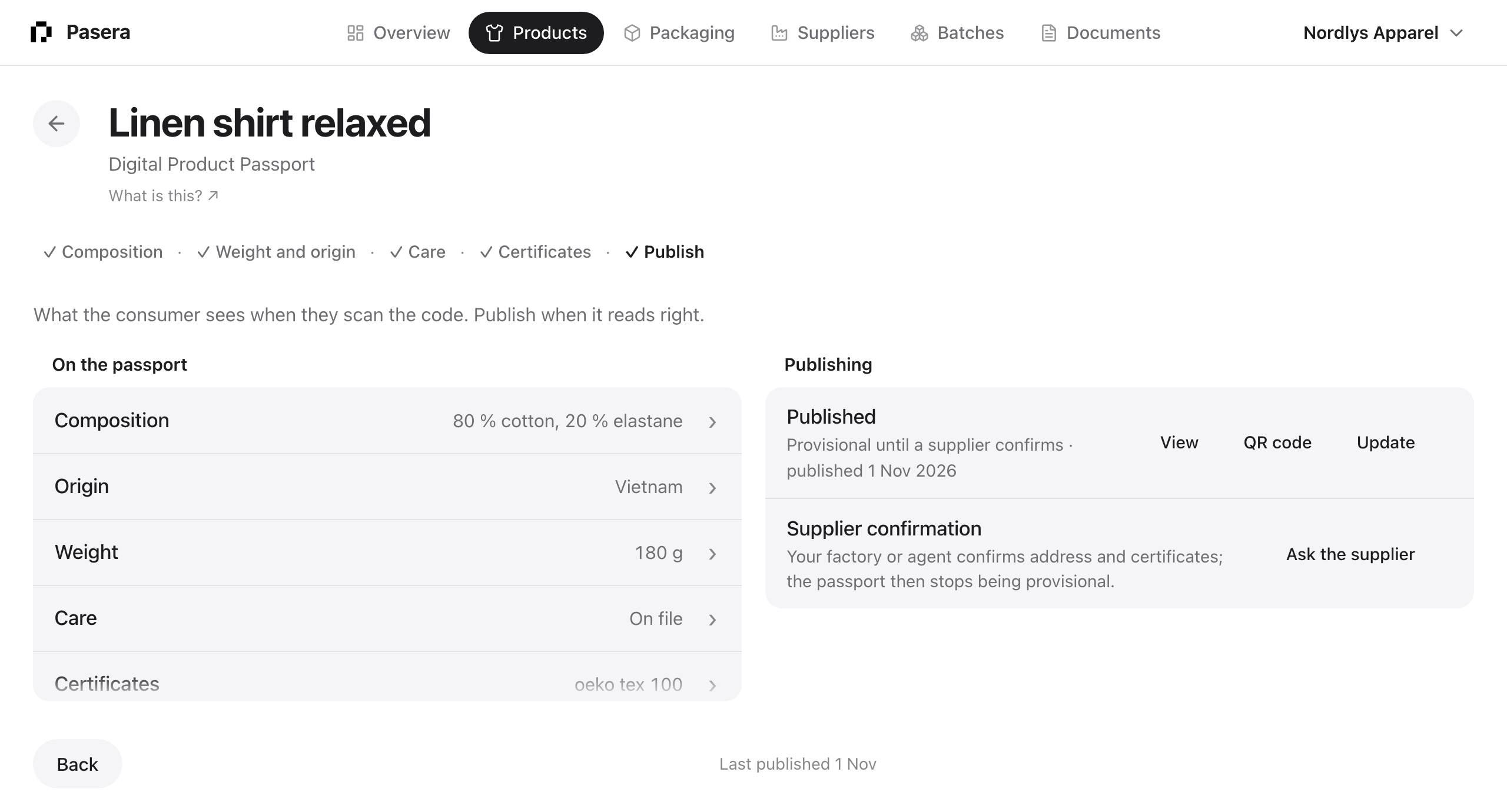
Publish
The left column shows what the consumer will see. Publish creates the passport and its QR code; Update republishes with the current data. QR code opens the code large with the link it encodes, Copy, Download SVG and Open page, and a switch between the Pasera link and a GS1 Digital Link.
A passport is provisional until a supplier confirms the factory address and certificates. Ask the supplier sends them a link; when they confirm, approve it here and the passport stops being provisional.
Lot passports
A passport for one production lot lives on the batch line, see Batches, shipments and lot passports.