Brand guide
Pasera is the packaging compliance tool for brands that place goods on the EU market. Under Regulation (EU) 2025/40, the PPWR, every carton, polybag, mailer bag and hangtag needs a declaration of conformity and a technical file, and the supplier who makes it has to stand behind the data. Pasera writes those documents from a few facts about the item and one lab report, and gives your supplier a link to confirm and stamp them. No login on their side, nothing to install on yours.
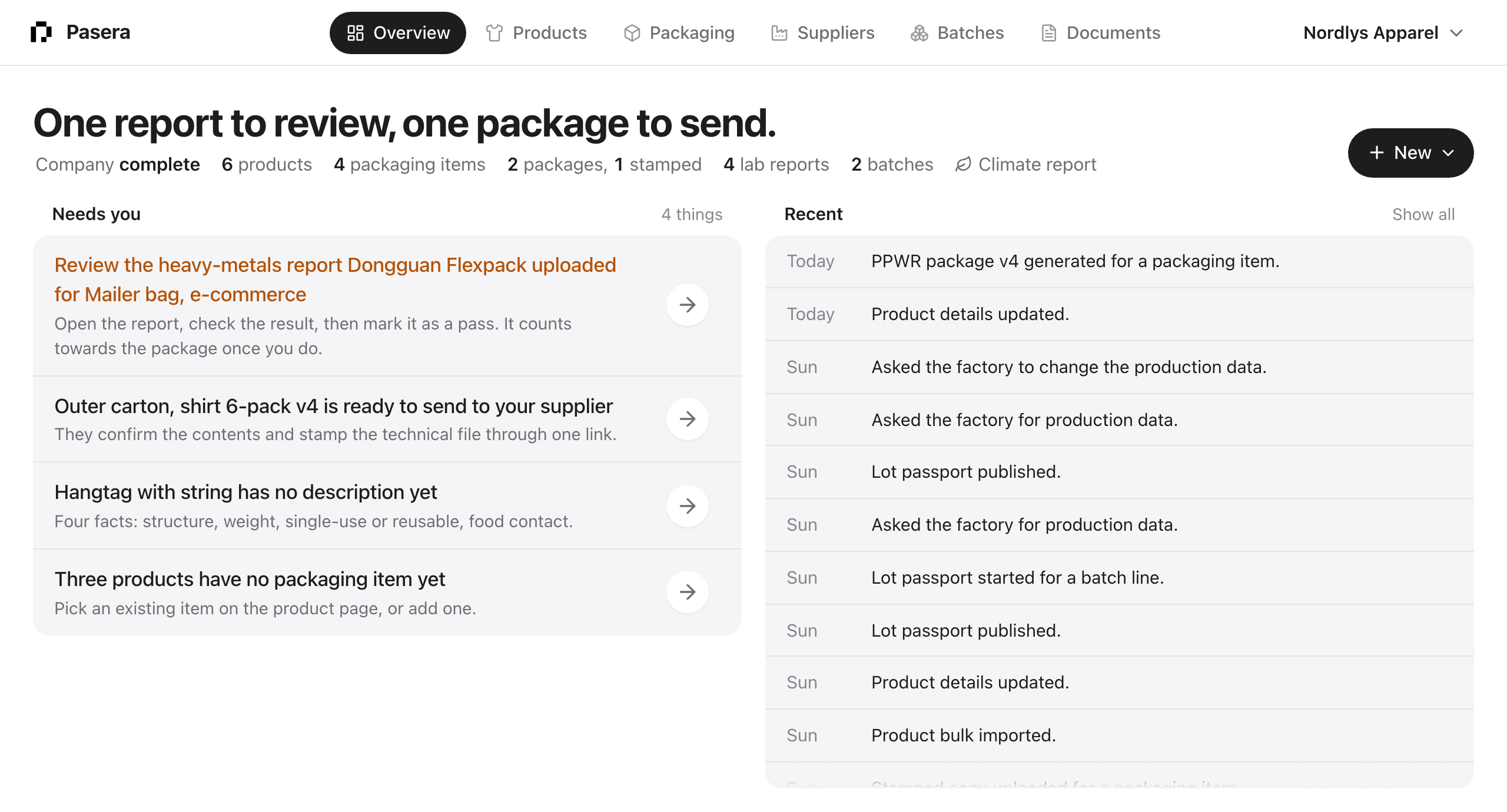
What you work with
- Packaging items. The carton, polybag, mailer bag or hangtag your products ship in. Each one gets a six-step page: name it, describe it, list its parts, attach the lab report, generate the package, get it stamped.
- Products. What you sell, and what each one ships in. Products are optional for packaging compliance; they come into their own with batches and passports.
- Suppliers. The factories you buy from. Each packaging item carries one link that the supplier uses to upload lab reports and stamp the technical file.
- Batches. A purchase order with product and packaging lines. Shipping a batch produces the commercial invoice and customs summary, and each line can carry a lot passport.
- Documents. One library for everything: lab reports and certificates you upload, and the packages, invoices and customs documents Pasera generates, with every version and stamped copy kept for the retention period.
The Overview ties it together: one sentence about what matters most, the list of things that need you, and what happened recently. Start there every day.
How a packaging item becomes compliant
- Name it. “Polybag, single garment”. Suggested names appear as you type.
- Describe it. Structure and material, weight of one item, single-use or reusable, whether it touches food.
- List its parts. Film, print, tape, with each part’s share of the weight.
- Attach the lab report. A heavy-metals report, and a PFAS report when the item touches food. Upload it yourself or let the supplier upload it through their link.
- Generate the package. Pasera writes the declaration of conformity, signed by your signatory, and the technical file.
- Get it stamped. Send the supplier link. They read the file and stamp it, by PDF or by photographing the chopped page. The stamped copy lands in Documents.
The Overview tells you which of these steps is open on which item, and in what order to take them.
Plans
Free covers 10 packaging items with a package, enough for a small brand to stay on it. Pro, at €49 a month, covers 100 and adds supplier reminders, bulk import and batches; Business, at €249 a month, has no limit. Passports, shipments and customs, and the climate report are add-ons. Seats, document languages and suppliers are free on every plan. See Plans, add-ons and billing.
Languages
The app, the emails and the generated documents come in English, Danish and Swedish. You choose the app’s language under Your account, and the language of each packaging item’s documents on its Package step.