The Overview page
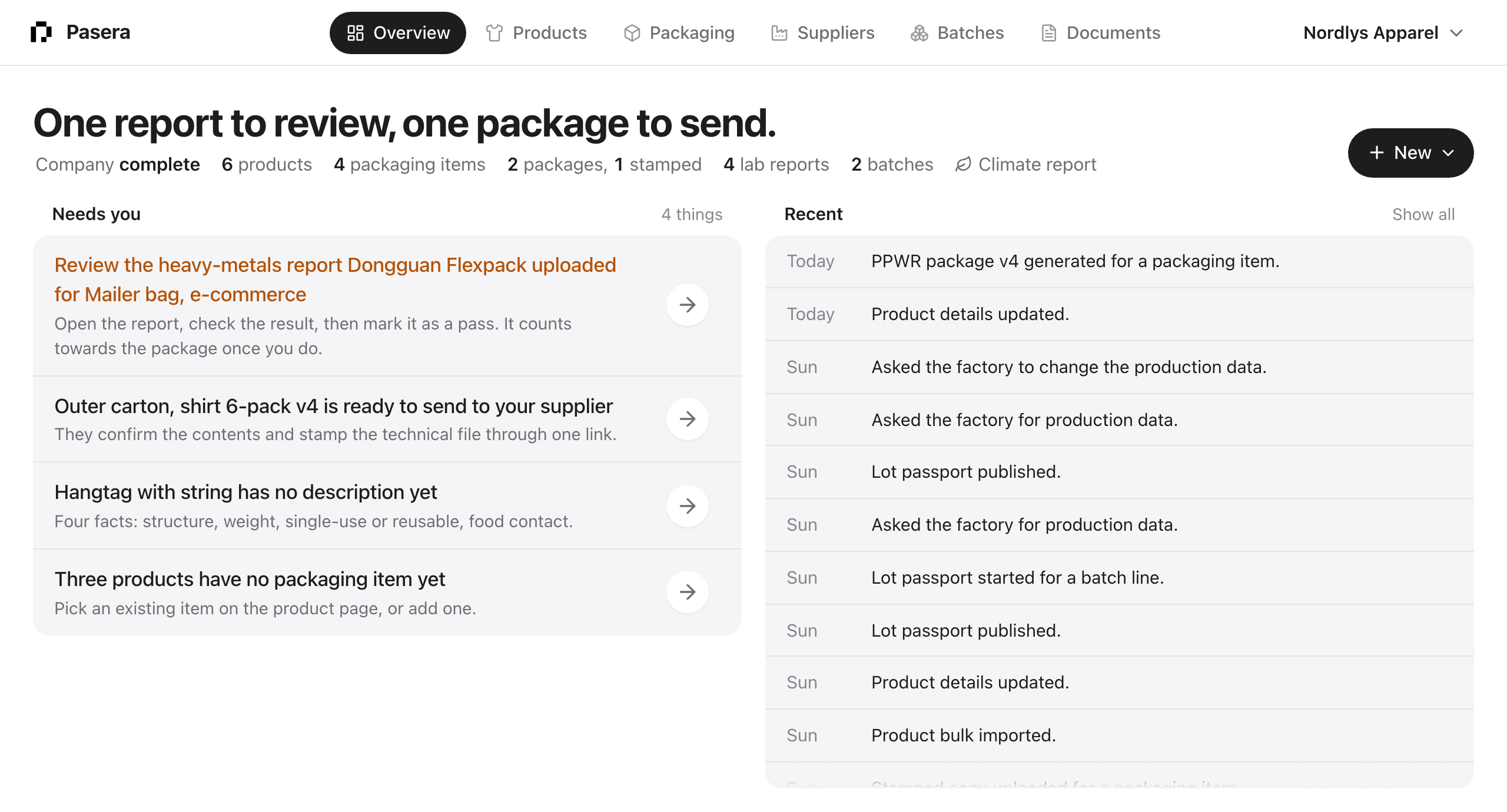
The Overview is the first page after sign-in and the one to come back to. It answers one question: what needs me now?
The headline
One sentence, computed from your items: “One report to review, one package to send.” It names the two most urgent kinds of work. When nothing is open it reads “Everything is on file”, and once every package is stamped, “Every package is stamped and on file.”
The counts strip
Under the headline: company complete or not, products, packaging items, packages generated and stamped, lab reports, batches, and a link to the climate report when that add-on is on. Each count opens its list.
Needs you
Up to twelve rows, ranked. Reports a supplier uploaded that you should review come first, then change requests, then company details, missing reports, packages ready to generate, packages ready to send, items to finish describing, stamps you are waiting for, and products without a packaging item. Amber text marks the rows that block a signature; at most two rows are amber at a time.
Click anywhere on a row, or its arrow, to go straight to the step that resolves it.
Recent
What you and your suppliers did, newest first, in plain sentences. “Show all” opens the full activity feed with search.
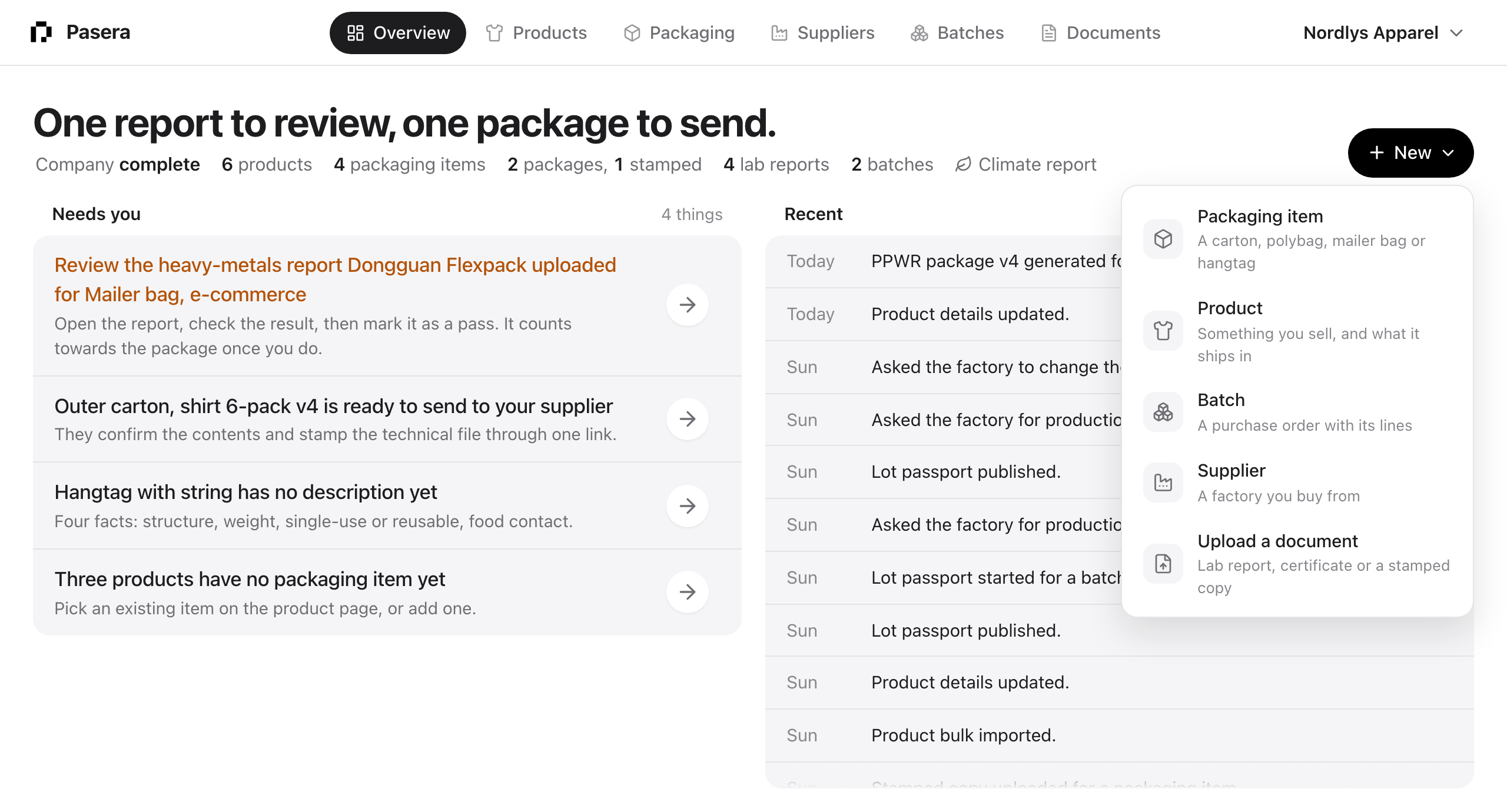
+ New
One button for everything you can start: a packaging item, a product, a batch, a supplier, or a document upload. The list pages have their own New buttons too.
The account menu
Top right, under your brand’s name: Company, Team, Plan and modules, Billing, Integrations, Help, Your account and Log out. If you belong to several brands, they are listed at the top and one click switches.